
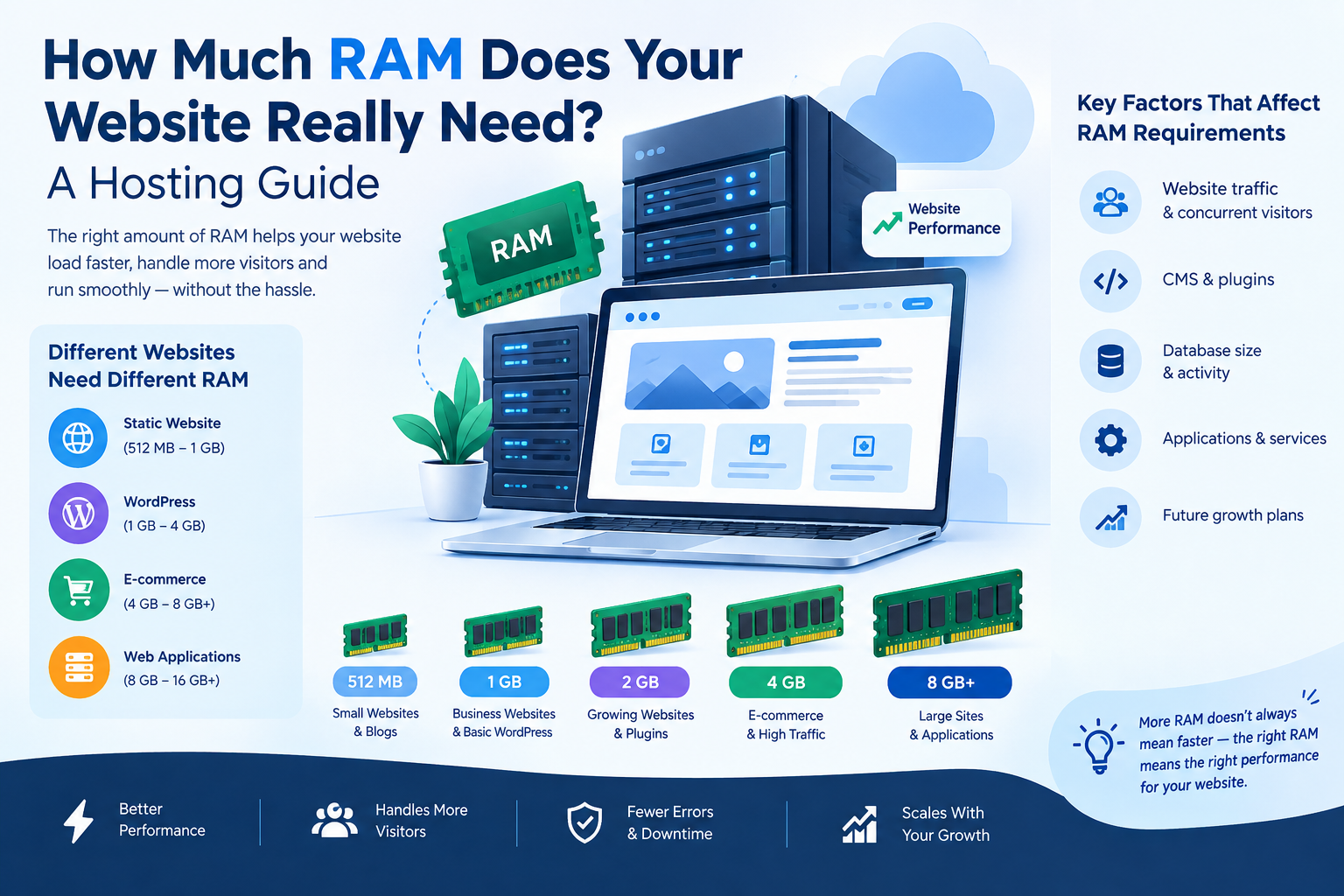
When choosing a web hosting plan, most people focus on storage, bandwidth, CPU, and price. But there is another important resource that can directly affect your website's performance: RAM.
RAM, or Random Access Memory, allows your hosting server to temporarily store and process the data required to run your website, applications, databases, and other services. If your website does not have enough RAM, you may experience slow loading times, server errors, poor application performance, or even downtime.
But how much RAM does a website actually need?
The answer depends on several factors, including your website type, number of visitors, CMS, plugins, database size, and traffic growth.
In this guide, we will explain how much RAM a website needs, how RAM affects hosting performance, and how to choose the right amount for your website.
Table of Contents
- What Is RAM in Web Hosting?
- Why Does Website RAM Matter?
- How Much RAM Does a Website Need?
- RAM Requirements by Website Type
- How Much RAM Does WordPress Need?
- RAM Requirements for E-commerce Websites
- How Traffic Affects RAM Requirements
- Signs Your Website Needs More RAM
- How to Choose the Right Hosting RAM
- Can You Upgrade RAM Later?
- Tips to Reduce RAM Usage
- Frequently Asked Questions
- Conclusion
1. What Is RAM in Web Hosting?
RAM is the short-term memory used by a server to handle active processes and applications.
When someone visits your website, the server needs to process different tasks such as:
- Loading website files
- Running PHP or other server-side applications
- Processing database queries
- Handling user requests
- Running plugins and extensions
- Managing control panel services
- Processing background tasks
These activities use server RAM.
Think of RAM as the working space of your hosting server. More RAM gives the server more room to handle multiple processes simultaneously.
However, having more RAM does not automatically make every website faster. The amount of RAM should match the website's actual requirements.
2. Why Does Website RAM Matter?
RAM can affect your website's ability to handle multiple tasks and visitors.
If a server has insufficient memory, it may start using swap space or struggle to process requests efficiently. This can result in slower performance.
Adequate RAM can help with:
Better Website Performance
Web applications can process requests more efficiently when sufficient memory is available.
Handling More Visitors
Websites receiving more simultaneous visitors generally need more server resources.
Running CMS Platforms
Platforms such as WordPress, Magento, and other content management systems require memory to run their core software, themes, plugins, and database operations.
Supporting Databases
Dynamic websites frequently interact with databases. Database operations consume server resources, including RAM.
Running Multiple Applications
If your server hosts email services, databases, control panels, websites, or other applications, they all share available resources.
3. How Much RAM Does a Website Need?
There is no single RAM requirement that works for every website.
As a general starting point:
| Website Type | Suggested RAM |
|---|---|
| Simple Static Website | 512 MB – 1 GB |
| Small Business Website | 1 GB – 2 GB |
| WordPress Website | 1 GB – 2 GB |
| WordPress + Multiple Plugins | 2 GB – 4 GB |
| Medium Traffic Website | 2 GB – 4 GB |
| E-commerce Website | 4 GB – 8 GB+ |
| High-Traffic Website | 8 GB+ |
| Large Web Applications | 8 GB – 16 GB+ |
These are general guidelines rather than fixed requirements. Actual RAM usage depends on your website's software, traffic, configuration, caching, database workload, and other services running on the server.
4. RAM Requirements by Website Type
Different websites require different amounts of server resources.
Static Websites
A basic HTML/CSS website with limited functionality generally requires fewer server resources.
Typical starting point: 512 MB–1 GB.
For a small portfolio or informational website with low traffic, a basic hosting plan may be sufficient.
Small Business Websites
A business website built using WordPress or another CMS may require more resources because it can use:
- Plugins
- Contact forms
- Databases
- Analytics
- Security tools
- Page builders
Typical starting point: 1–2 GB RAM.
WordPress Websites
WordPress RAM requirements depend heavily on the theme, plugins, traffic, and hosting environment.
A basic WordPress website may work comfortably with 1–2 GB RAM, while websites using many plugins, WooCommerce, page builders, or higher traffic levels may benefit from 2–4 GB or more.
E-commerce Websites
Online stores often require more resources than simple informational websites.
An e-commerce website may need to handle:
- Product catalogs
- Customer accounts
- Shopping carts
- Orders
- Payment processing
- Inventory
- Database queries
- Security systems
For this reason, 4 GB RAM or more may be a practical starting point for many growing e-commerce websites, although actual requirements vary considerably.
5. How Much RAM Does WordPress Need?
WordPress itself does not have one universal RAM requirement.
Your actual requirement depends on:
- WordPress core
- Theme
- Number of plugins
- Plugin quality
- Website traffic
- Database size
- PHP version
- Caching configuration
- Background processes
For a basic WordPress website, 1–2 GB RAM can often be enough.
For a more complex website with WooCommerce, page builders, numerous plugins, and higher traffic, 2–4 GB or more may be appropriate.
Instead of simply buying the largest hosting plan, monitor actual resource usage and upgrade when necessary.
6. RAM Requirements for E-commerce Websites
E-commerce websites usually have more dynamic processes than simple business websites.
For example, when a customer searches for a product, adds an item to the cart, logs in, or completes an order, the server may need to process multiple requests and database operations.
General guideline:
- Small store: 2–4 GB
- Growing store: 4–8 GB
- Large/high-traffic store: 8 GB+
The exact requirement depends on the platform and configuration.
For example, WooCommerce, Magento, PrestaShop, and custom e-commerce applications can have very different resource requirements.
7. How Traffic Affects RAM Requirements
Traffic is one of the important factors when determining hosting requirements.
A website receiving 100 visitors per day generally does not have the same resource requirements as a website receiving thousands of visitors simultaneously.
However, total daily visitors alone do not determine RAM requirements.
What matters is also:
- Concurrent visitors
- Dynamic requests
- Database activity
- Page complexity
- API requests
- Background jobs
- Caching
- Server configuration
For example, a website with 10,000 daily visitors and effective caching may use fewer resources than a poorly optimized website with significantly lower traffic.
8. Signs Your Website Needs More RAM
How do you know when your hosting plan needs an upgrade?
Look for signs such as:
1. Frequent Server Errors
Memory shortages can contribute to application failures and server errors.
2. Slow Backend
If your WordPress dashboard or website administration area becomes consistently slow, resource limitations may be one possible cause.
3. High Memory Usage
Hosting control panels and server monitoring tools can show RAM usage.
4. Out-of-Memory Errors
Repeated memory-related errors are a strong indication that your application or server needs attention.
5. Performance Problems During Traffic Spikes
If your website performs normally with low traffic but slows down significantly during traffic increases, you may need additional resources or better optimization.
9. How to Choose the Right Hosting RAM
Don't choose hosting based only on the RAM number.
Consider the complete hosting environment.
Step 1: Identify Your Website Type
Determine whether you have:
- Static website
- WordPress website
- Blog
- Business website
- E-commerce store
- Web application
Step 2: Estimate Your Traffic
Look at your current visitors and expected growth.
Step 3: Check Your Applications
Consider your themes, plugins, databases, APIs, and other applications.
Step 4: Monitor Resource Usage
Use your hosting control panel or server monitoring tools to understand actual RAM consumption.
Step 5: Leave Some Headroom
Avoid operating your server continuously at its memory limit.
Having additional capacity can help accommodate traffic spikes and future growth.
10. Can You Upgrade RAM Later?
Yes.
One advantage of VPS and cloud hosting is that resources can often be upgraded as your website grows.
For example, you might start with:
2 GB RAM → 4 GB RAM → 8 GB RAM
depending on your hosting provider and plan.
This allows businesses to start with resources appropriate for their current requirements rather than paying for excessive capacity from the beginning.
11. Tips to Reduce RAM Usage
Before upgrading your hosting plan, you can also optimize your website.
Use a Caching System
Caching can reduce repeated processing and improve website performance.
Remove Unnecessary Plugins
Deactivate and remove plugins that your website does not need.
Optimize Your Database
Regular database maintenance can help reduce unnecessary data and improve efficiency.
Use a Lightweight Theme
A well-optimized theme can reduce the resources required to generate pages.
Optimize Images
Large images can increase page weight and affect overall website performance.
Keep Software Updated
Keep your CMS, plugins, themes, and server software updated to supported versions.
Use a CDN
A Content Delivery Network can help deliver static content closer to users and reduce some load on your origin server.
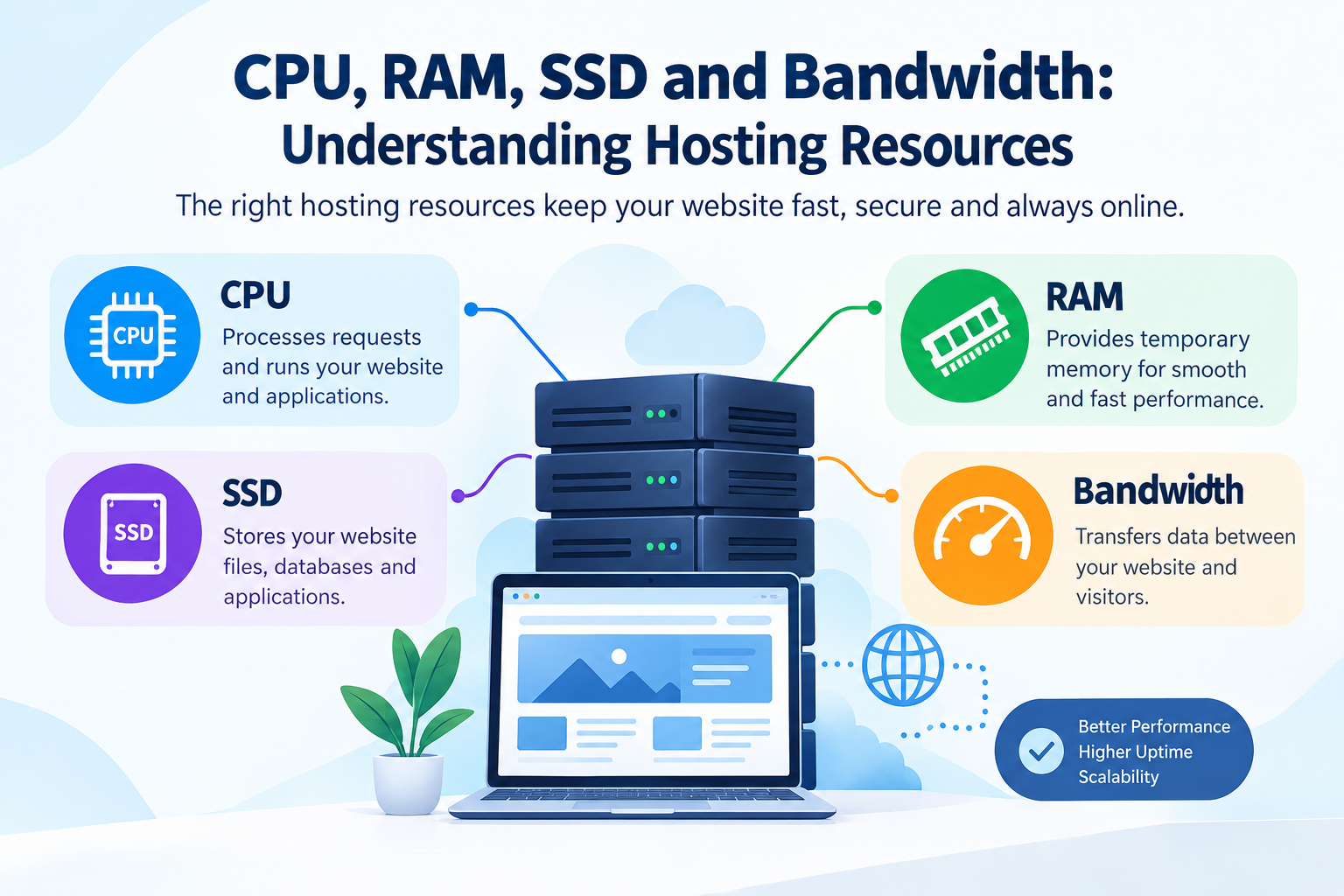
12. RAM vs CPU vs Storage: What's the Difference?
Hosting resources perform different jobs.
| Resource | Main Purpose |
|---|---|
| RAM | Temporary working memory |
| CPU | Processes instructions and tasks |
| Storage | Stores files, databases, emails, and applications |
| Bandwidth | Transfers data between server and visitors |
A website can have plenty of storage but still perform poorly if it lacks sufficient RAM or CPU resources.
Therefore, choosing a hosting plan requires looking at the overall resource allocation, not RAM alone.
13. Frequently Asked Questions
How much RAM does a basic website need?
A simple website with low traffic may start with around 512 MB to 1 GB RAM, depending on its hosting environment and software.
Is 1 GB RAM enough for WordPress?
For a basic WordPress website, 1 GB may be sufficient. Websites with more plugins, dynamic features, or higher traffic may require more.
Is 2 GB RAM enough for a website?
For many small business websites and moderate WordPress installations, 2 GB can be a reasonable starting point.
How much RAM does an e-commerce website need?
Many small-to-medium e-commerce websites may start around 4 GB RAM, while larger stores can require 8 GB or more depending on traffic and software.
Does more RAM make a website faster?
Not necessarily. More RAM can help when memory is a bottleneck, but website speed also depends on CPU, storage, caching, code quality, database performance, network speed, and other factors.
Can I increase RAM after launching my website?
With many VPS and cloud hosting plans, you can upgrade resources as your website grows. The exact upgrade options depend on the hosting provider.
Conclusion
Choosing the right amount of RAM is an important part of selecting web hosting. A simple website may require only a small amount of memory, while WordPress websites with many plugins, e-commerce stores, and high-traffic applications can require significantly more.
Instead of choosing hosting based solely on a large RAM number, consider your website type, traffic, software, database workload, and expected growth.
For many small websites, 1–2 GB RAM can be a practical starting point. Growing websites may benefit from 2–4 GB, while larger e-commerce websites and applications may require 4–8 GB or more.
The best approach is to monitor your actual resource usage and scale your hosting when your website needs additional capacity.




























































































































































































Leave A Comment