
Check MyDNS: Which DNS Server Is Your Device Using?
To check mydns, run ipconfig /all on Windows and read the DNS Servers line, or open your network settings on Mac, Linux or a phone. Your domain's own nameservers are a separate answer, and a change to them can take 24 to 48 hours to show everywhere.
Most readers want one of two things: the DNS server their own connection uses, or the records pointing their domain at a website. This guide covers both. New to record types? Our DNS records guide for beginners is a good first stop.
At A Glance
• Command: ipconfig /all
• Record types: A, AAAA, MX, NS, TXT, CNAME and SOA
• Duration: 24 to 48 hours for a nameserver change
• Price: Hosting from ₹99/month
• Two answers exist: the resolver your device uses and your domain’s nameservers.
Whats My DNS, And Why Are There Two Answers?
The question whats my dns hides two different questions. One asks which resolver your device sends lookups to. The other asks which nameservers hold your domain’s records. A check mydns routine answers both, so you can tell a slow connection from a wrong website.
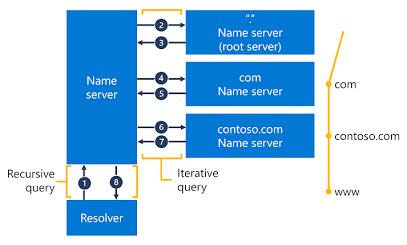
The resolver is a recursive DNS server, usually run by your internet provider, your router or a public service. It looks names up on your behalf and caches what it finds. The nameservers belong to the domain and publish its official records.
|
|
Your DNS server (resolver) |
Your domain’s nameservers |
|
Who sets it |
Your router, provider or device settings |
Your registrar or DNS host |
|
What it does |
Looks up names and caches answers |
Publishes the official records |
|
How to find it |
ipconfig /all or network settings |
A DNS record lookup or WHOIS |
|
When a change applies |
Right after you save the setting |
Up to 24 to 48 hours everywhere |
Home networks usually hand out the router’s address as the DNS server through DHCP, and the router forwards each query upstream. That is why a laptop and a phone on the same Wi-Fi often report one resolver, while a phone on mobile data reports another.
How Do You Check Your DNS Server On Your Device?
Open the network details for your active connection, or run one command in a terminal. Every major system shows the resolver address, though menu names change between versions. Use this check mydns list to pick the route that matches your device, then note the address you find.
• Windows: run ipconfig /all in Command Prompt and read the DNS Servers line under your active adapter.
• macOS: open System Settings, choose Network, select your connection, click Details and open the DNS tab.
• Linux: run resolvectl status on systems that use systemd-resolved, or read the file /etc/resolv.conf.
• Android and iPhone: open your Wi-Fi network details and look for the DNS or Configure DNS option.
• Any system: run nslookup example.com and read the first lines, which name the server that answered.
Microsoft’s ipconfig reference confirms that the /all switch shows the full TCP/IP configuration for every adapter.
A typical Windows result lists one or two addresses beside DNS Servers. An address starting with 192.168 is a private address, which usually means your router relays queries for you. An address such as 8.8.8.8 means the device talks to a public resolver directly.
Many people search check my dns server when a page will not load. The answer is usually one line of output, and it tells you where to look next.
How Do You Check Your Domain’s DNS Records And Nameservers?
Enter your domain into a DNS record lookup and read the NS, A and MX results. Our DNS record lookup tool returns A, AAAA, MX, NS, TXT, CNAME and SOA records in one query. This check mydns step shows what the world sees, not just your own device.
You sign in to your Cloud India Hub account to run a lookup. Once the results appear, read them in this order:
• NS: the nameservers that hold the zone. Check these first.
• A and AAAA: the IPv4 and IPv6 addresses your domain points to.
• MX: the mail servers that receive email for the domain.
•TXT: text entries used for SPF, DKIM and domain verification.
• CNAME and SOA: hostname aliases, plus the administrative details of the zone.
A healthy NS result lists two or more nameservers, so one can fail without taking the domain offline. The A record should match the IP address your host gave you, and the MX records should match your email provider.
Compare the NS result with the nameservers your registrar displays. If the two lists differ, your edits live at a DNS host that visitors never reach. Update the nameservers at the registrar before touching any other record.
Why Does Your DNS Show Different Answers On Different Networks?
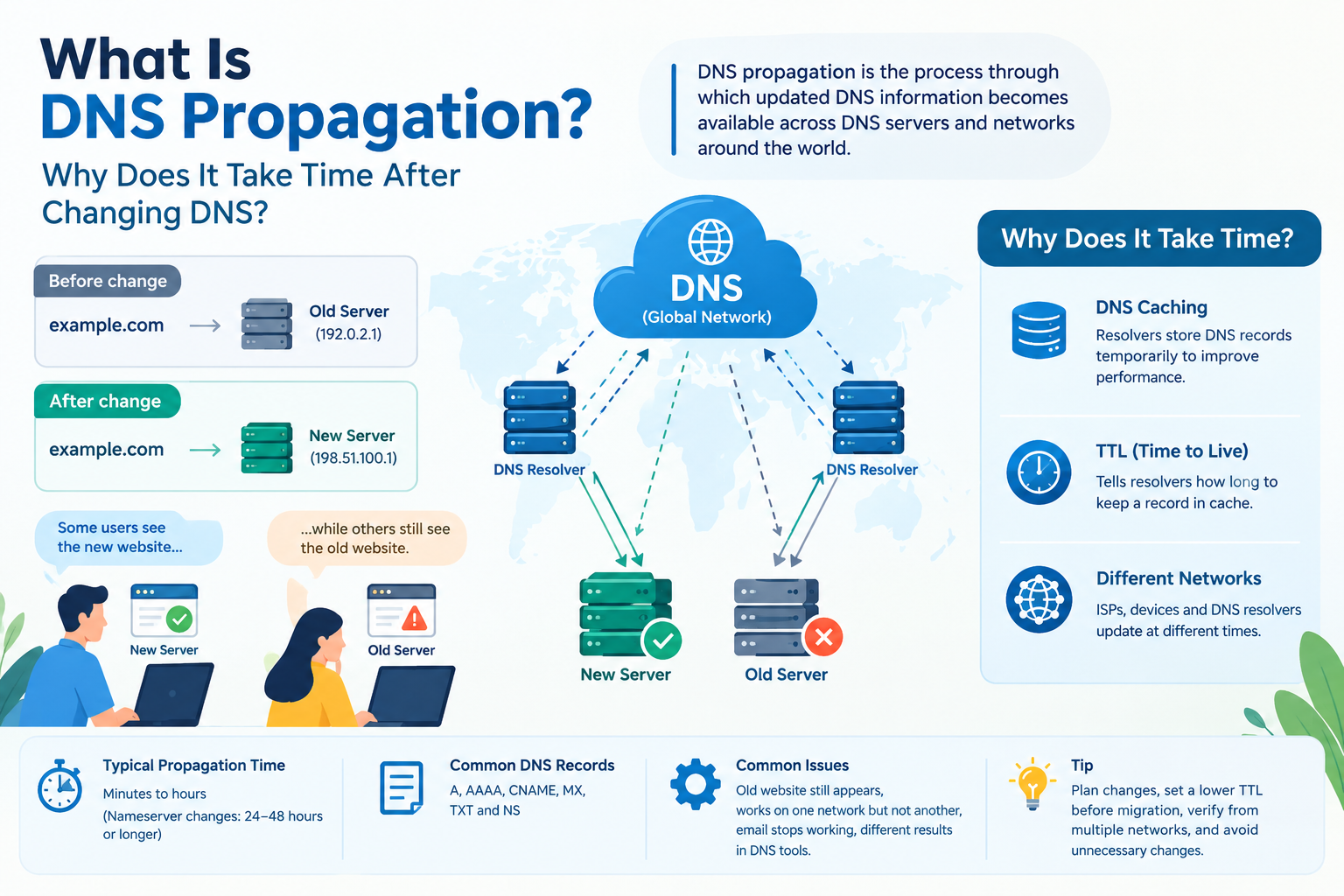
Different resolvers cache old answers for different lengths of time. Each record carries a time to live, such as 3600 seconds, which tells a resolver how long it may keep the answer. A check mydns result on mobile data can therefore differ from Wi-Fi until those caches expire.
Our guide to DNS propagation explains the delay in depth. Here is the short version:
|
Change |
Typical wait |
|
Simple record edit |
Minutes to several hours |
|
Nameserver change |
Several hours, up to 24 to 48 hours |
|
Major DNS changes |
Can take longer |
Test from mobile data, home Wi-Fi and an office network. If only one network disagrees, you are looking at a stale cache, not a broken record. Avoid editing the same record repeatedly while you wait, because extra changes make the trail harder to read.
Three symptoms show up again and again:
• Old website still appears: a resolver still holds the previous IP address.
• Works on mobile data, fails on Wi-Fi: the two networks use different resolvers.
• Email stops after a change: recheck MX, SPF and DKIM records together.
Planning a migration? Lower the TTL on the record a day or two before the move, then raise it again once everything settles. Caches that already hold the old answer keep it until their original timer ends.
What Should You Do When Your DNS Server Is Slow Or Wrong?
Flush the local cache first, then test the same name against a different resolver. If the second resolver answers correctly, your original server is the problem. If both agree, the records themselves are wrong, and the fix belongs at your DNS host.
• Flush the cache: on Windows, ipconfig /flushdns clears the resolver cache, which Microsoft documents as a DNS troubleshooting step.
• Query another resolver: run nslookup yourdomain.com 8.8.8.8 to ask Google Public DNS the same question.
• Confirm the registry: our WHOIS lookup tool lists registrar details, creation dates and nameservers.
• Check your router: searches such as know my dns often end at a router admin page, which lists the server your whole home network uses.
These public resolvers make useful test targets:
|
Provider |
Primary address |
Secondary address |
|
Google Public DNS |
8.8.8.8 |
8.8.4.4 |
|
Cloudflare |
1.1.1.1 |
1.0.0.1 |
|
Quad9 |
9.9.9.9 |
149.112.112.112 |
Switching your device to one of them changes how your device looks names up. It does not change your website. Your provider’s resolver is often the closest, and some workplaces require their own server for internal names.
How Do You Check MyDNS Step By Step?
Work through this check mydns sequence in five short steps: find your resolver, test a name against it, compare with a public resolver, then read the domain’s nameservers.
1. Find your resolver with ipconfig /all, resolvectl status or your network settings.
2. Run nslookup yourdomain.com and confirm the Server line matches that address.
3. Repeat with nslookup yourdomain.com 8.8.8.8 to query Google Public DNS.
4. Compare both answers. A difference points to caching or a misbehaving resolver.
5. Look up the domain’s NS records and confirm they match your registrar’s.
Save the output of all five steps in a dated note. A record of your resolver and your NS records makes the next problem faster to diagnose, because you can compare against a known good state.
Frequently Asked Questions
What is my DNS server address?
It is the address your device sends lookups to, listed under DNS Servers in ipconfig /all or in your network settings. At home it is often your router, which forwards queries to your provider.
Can I see my DNS server on a phone?
Open your Wi-Fi network details and find the DNS or Configure DNS option. This check mydns route works on Android and iPhone, though menu names vary with the system version.
How do I know my DNS server is working?
Run nslookup on a site you visit often. A quick reply with the correct address means it works, while a timeout means you should query 8.8.8.8 to see whether the resolver is at fault.
Why does my domain still show old records?
Resolvers keep answers until the time to live expires, and nameserver changes can take 24 to 48 hours to appear everywhere. Wait, then recheck from another network before editing again.
Is my DNS server the same as my domain’s nameservers?
No, your DNS server is the resolver your device queries, while nameservers belong to the domain and publish its records. Different companies often run them, which is why both need checking.
Does changing my DNS server affect my website?
No, your resolver only changes how your device looks up names. Your website stays where its own DNS records point, so visitors see no difference.
Where Do You Go From Here?
Run the steps above and write down your resolver and your NS records, so the next outage starts with facts. Cloud India Hub lists free DNS management with its domains and hosting from ₹99/month. Talk to the team on our contact page and make your next check mydns run a quick one.
Expert advice
|
Learn how to check mydns on Windows, Mac, Linux and phones, then read your domain’s nameservers and records. Copy-ready commands show which DNS server answers you and why results differ. |
Serving Bengaluru, Karnataka.
































































































































































































Leave A Comment