
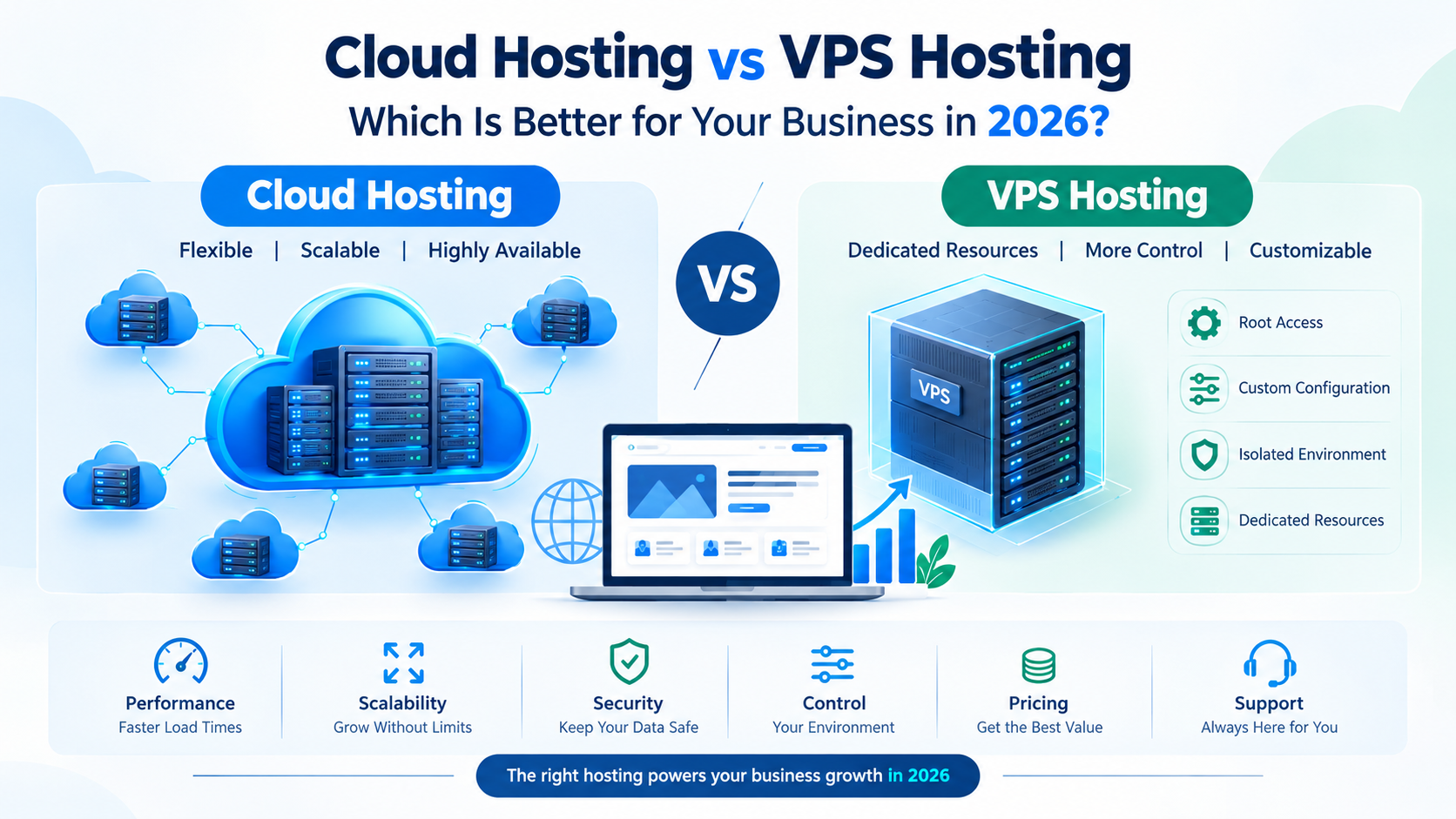
Choosing the right web hosting is an important decision for any business. Your hosting environment affects your website’s speed, uptime, security, scalability, and overall performance.
Two popular options for growing websites are Cloud Hosting and VPS Hosting. Both offer more resources and control than traditional shared hosting, but they work differently and are designed for different requirements.
So, Cloud Hosting vs VPS Hosting — which one should your business choose in 2026?
This guide explains the differences between Cloud Hosting and VPS Hosting, their advantages, limitations, pricing considerations, and the situations where each option makes sense.
Table of Contents
- What Is Cloud Hosting?
- What Is VPS Hosting?
- Cloud Hosting vs VPS Hosting: Key Differences
- Performance Comparison
- Scalability and Resource Management
- Reliability and Uptime
- Security
- Server Management and Control
- Pricing
- Which Hosting Is Better for Your Business?
- Cloud Hosting vs VPS Hosting for Different Websites
- Common Mistakes to Avoid
- Frequently Asked Questions
- Final Thoughts
What Is Cloud Hosting?
Cloud Hosting hosts your website or application using a network of interconnected servers instead of relying on a single physical server.
Your website resources can be distributed across multiple servers within a cloud infrastructure. This architecture can provide flexibility when traffic or resource requirements change.
For example, if your website experiences a sudden increase in visitors, a cloud environment may allow resources to be adjusted according to the hosting configuration.
Benefits of Cloud Hosting
- Flexible resource allocation
- Easy scalability
- High availability potential
- Suitable for growing websites
- Useful for websites with changing traffic
- Can support demanding applications
- Flexible infrastructure options
Cloud Hosting can be particularly useful for businesses that expect their online traffic or application requirements to grow.
What Is VPS Hosting?
VPS stands for Virtual Private Server.
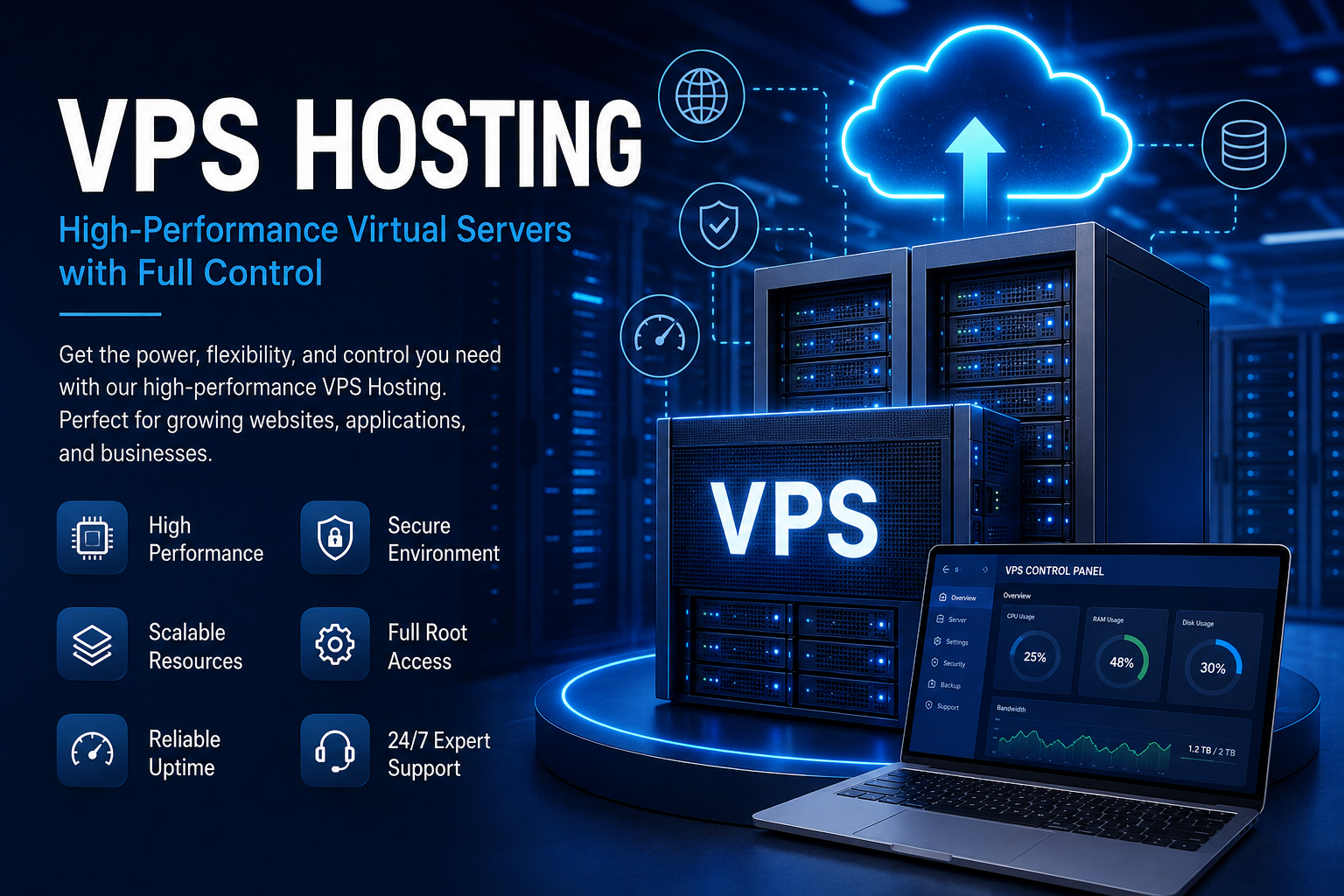
A VPS uses virtualization technology to divide a physical server into multiple isolated virtual environments. Each VPS receives allocated resources such as CPU, RAM, storage, and bandwidth according to the hosting plan.
Although multiple VPS environments may exist on the same physical server, each environment operates separately.
Benefits of VPS Hosting
- Dedicated virtual resources
- Root or administrative access on many plans
- Greater server control
- Custom software installation
- More predictable resource allocation
- Suitable for websites requiring specific configurations
VPS Hosting is often chosen by developers, agencies, and businesses that need more control over their server environment.
Cloud Hosting vs VPS Hosting: Key Differences
Cloud Hosting and VPS Hosting can both provide better performance and control than shared hosting, but their infrastructure is different.
| Feature | Cloud Hosting | VPS Hosting |
|---|---|---|
| Infrastructure | Multiple interconnected servers | Virtual server on a physical server |
| Scalability | Generally highly flexible | Usually requires plan/resource changes |
| Resource allocation | Flexible depending on provider | Allocated resources |
| Control | Depends on hosting plan | Usually high |
| Reliability | Can benefit from distributed infrastructure | Depends on physical host/server setup |
| Customization | Depends on provider | Generally high |
| Traffic handling | Suitable for variable traffic | Suitable for predictable workloads |
| Management | Managed and unmanaged options | Managed and unmanaged options |
| Best suited for | Growing and variable workloads | Controlled workloads and custom environments |
The exact features depend on the hosting provider and plan, so always check the specifications before purchasing.
Cloud Hosting vs VPS Hosting: Performance
Website performance depends on several factors, including:
- CPU resources
- RAM
- Storage technology
- Server configuration
- Software optimization
- Database performance
- Website code
- Content delivery network
- Traffic volume
Cloud Hosting can provide flexible infrastructure for websites with changing resource requirements.
VPS Hosting can provide predictable resources when your website has relatively stable requirements.
Which One Is Faster?
There is no universal answer.
A properly configured VPS can outperform a poorly configured cloud server, while a well-designed cloud infrastructure can provide excellent performance and flexibility.
Instead of choosing based only on the hosting label, compare the actual CPU, RAM, storage, network capacity, virtualization technology, and server configuration.
Scalability and Resource Management
Scalability is one of the biggest differences between cloud environments and traditional VPS setups.
Cloud Hosting Scalability
Cloud infrastructure is designed to work across interconnected resources. Depending on the provider, you may be able to increase CPU, RAM, storage, or other resources more easily.
This can be useful for:
- E-commerce websites
- SaaS applications
- News websites
- Growing business websites
- Websites with seasonal traffic
- Applications experiencing unpredictable traffic
VPS Scalability
With VPS Hosting, you generally work with the resources included in your selected plan.
When your website grows, you may need to:
- Upgrade the VPS plan
- Increase CPU or RAM
- Add additional storage
- Optimize the application
- Move to a larger server environment
VPS Hosting can work well when resource requirements are relatively predictable.
Reliability and Uptime
Website downtime can affect customers, sales, and user experience.
Cloud Hosting can use distributed infrastructure, which may help reduce dependence on a single physical server when the provider's architecture is designed for redundancy.
VPS Hosting depends more heavily on the underlying physical server and provider infrastructure.
However, hosting type alone does not guarantee uptime.
When evaluating a hosting provider, check:
- Infrastructure design
- Backup systems
- Monitoring
- Network redundancy
- Hardware reliability
- Disaster recovery
- Support availability
- Published uptime commitments
Cloud Hosting vs VPS Hosting: Security
Both Cloud Hosting and VPS Hosting can be secure when properly configured.
Security depends on factors such as:
- Operating system updates
- Firewall configuration
- Strong passwords
- Access control
- Malware protection
- SSL certificates
- Backup strategy
- Application security
- Server monitoring
Cloud Hosting Security
Cloud providers may offer additional infrastructure-level security tools and monitoring features.
However, moving to the cloud does not automatically make a website secure. Website owners still need to maintain application and account security.
VPS Hosting Security
VPS environments provide isolation from other virtual environments and usually offer significant control over server security configuration.
With greater control comes greater responsibility. If you manage your own VPS, you may need to handle updates, firewall rules, server hardening, and monitoring.
Server Management and Control
Another major difference is the level of control you need.
Choose VPS Hosting When You Need:
- Root access
- Custom server configurations
- Specific software versions
- Custom applications
- Advanced database configurations
- Developer-level control
Choose Cloud Hosting When You Need:
- Flexible infrastructure
- Easier scaling
- Managed hosting options
- Variable resource requirements
- Infrastructure designed for growth
The actual level of control varies significantly between providers, so compare the management features before choosing a plan.
Cloud Hosting vs VPS Hosting: Pricing
Price should not be the only factor when selecting hosting.
The total cost may include:
- Hosting resources
- Storage
- Bandwidth
- Backup
- SSL
- Server management
- Monitoring
- Security tools
- Technical support
- Migration services
A lower-cost hosting plan may become expensive if your business later needs additional resources or management services.
Instead of asking only:
“Which hosting is cheaper?”
consider asking:
“Which hosting provides the resources and management my business actually needs?”
Which Hosting Is Better for Your Business in 2026?
There isn't one hosting solution that is suitable for every business.
Your choice should depend on your website's:
- Current traffic
- Expected growth
- Application requirements
- Technical expertise
- Budget
- Security requirements
- Resource requirements
- Scalability needs
Cloud Hosting May Be Suitable If:
- Your traffic changes frequently
- You expect rapid growth
- You need flexible resources
- You run applications that require scalable infrastructure
- You want infrastructure designed for variable workloads
VPS Hosting May Be Suitable If:
- Your traffic is relatively predictable
- You need more server control
- You require custom configurations
- You have technical knowledge or a system administrator
- You want allocated virtual resources
Cloud Hosting vs VPS Hosting for Different Websites
1. Small Business Website
A company website with moderate traffic may work well with either option.
The decision can depend on the expected growth and management requirements.
2. E-commerce Website
An online store may experience traffic spikes during:
- Sales
- Festivals
- Product launches
- Marketing campaigns
A hosting environment with flexible resources can be useful for such websites.
3. WordPress Website
WordPress can run on both Cloud Hosting and VPS Hosting.
For a small WordPress website, a managed hosting solution may be sufficient.
For a high-traffic WordPress website, you may need more CPU, RAM, database optimization, caching, and server-level control.
4. SaaS Application
SaaS applications often require scalability, monitoring, databases, and application-level infrastructure.
Cloud infrastructure can be useful when application requirements change as the user base grows.
5. Development Projects
Developers who need root access and custom configurations may prefer VPS Hosting.
7 Questions to Ask Before Choosing Hosting
Before purchasing a hosting plan, ask:
1. How much RAM do I need?
Consider your website software, database, traffic, and applications.
2. How many CPU cores are available?
CPU resources can affect application and database performance.
3. What type of storage is provided?
Check whether the provider uses SSD, NVMe, or another storage technology.
4. Is the hosting managed?
Managed hosting can reduce the technical workload.
5. How are backups handled?
Check backup frequency, retention, and restoration options.
6. Can I upgrade resources?
A scalable upgrade path can become important as your website grows.
7. What support is available?
Check support channels, response expectations, and technical assistance.
Common Hosting Mistakes Businesses Should Avoid
Choosing Only Based on Price
The cheapest plan may not provide sufficient resources or support.
Ignoring Future Growth
Your current traffic may be low, but your requirements can change as your business grows.
Buying More Resources Than Necessary
At the same time, paying for resources you don't need can unnecessarily increase your hosting cost.
Not Checking Backup Policies
Always understand how backups work before hosting an important website.
Ignoring Server Management
A VPS can provide greater control, but unmanaged server environments may require technical knowledge.
Focusing Only on “Cloud” or “VPS”
The hosting label doesn't tell the whole story. Infrastructure quality, configuration, support, and resource limits matter.
Cloud Hosting vs VPS Hosting: Quick Decision Guide
Choose Cloud Hosting if your priority is flexible infrastructure and scalability.
Choose VPS Hosting if your priority is control, customization, and predictable virtual resources.
For many businesses, the practical decision comes down to one question:
Do you need more flexibility or more direct control over your server environment?
Understanding your website's actual requirements will help you select the appropriate hosting architecture.
Frequently Asked Questions
Is Cloud Hosting better than VPS Hosting?
Neither is universally better. Cloud Hosting can be useful for scalable and variable workloads, while VPS Hosting can be useful when you need dedicated virtual resources and greater server control.
Is VPS Hosting good for business websites?
Yes. VPS Hosting can be suitable for business websites that require more resources, control, and customization than shared hosting provides.
Is Cloud Hosting suitable for e-commerce?
Cloud Hosting can be suitable for e-commerce websites, especially when traffic and resource requirements can change. However, performance also depends on the application, database, configuration, and hosting infrastructure.
Can I migrate from VPS to Cloud Hosting?
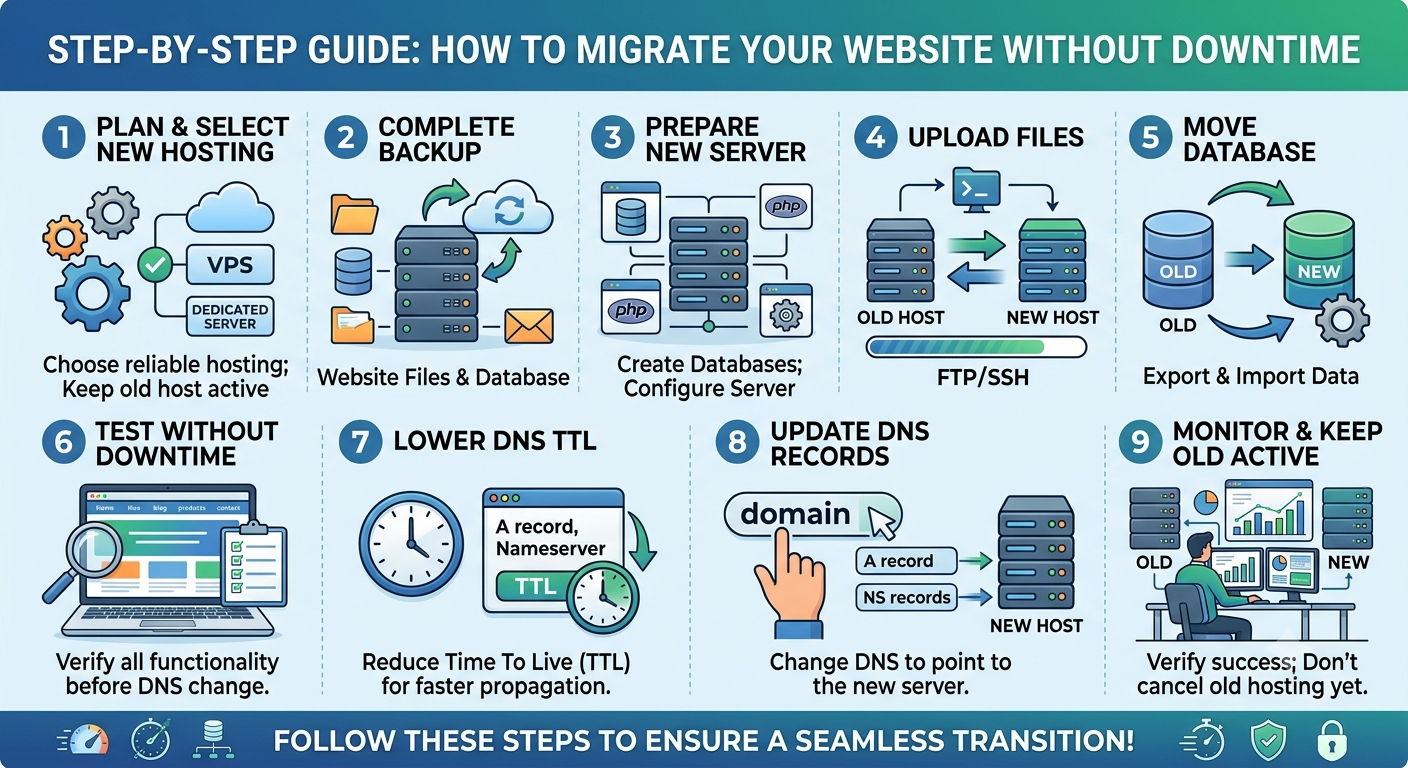
Yes. Websites and applications can generally be migrated between hosting environments, although the migration process depends on the operating system, application, database, server configuration, and hosting provider.
Which hosting is easier to manage?
Managed Cloud Hosting or Managed VPS Hosting can both be easier to manage than unmanaged servers. Compare exactly what server management services are included in each plan.
Does VPS Hosting improve SEO?
Hosting can indirectly affect SEO through factors such as website availability, speed, and server performance. However, VPS Hosting by itself does not guarantee higher Google rankings.
Final Thoughts
Choosing between Cloud Hosting and VPS Hosting in 2026 should be based on your business requirements rather than simply choosing the newest or most popular technology.
Cloud Hosting can provide flexible infrastructure for businesses with changing traffic and scalability requirements. VPS Hosting can provide greater control and predictable virtual resources for businesses that need customization.
Before making a decision, compare CPU, RAM, storage, bandwidth, scalability, backups, security, management, support, and total cost.
The right hosting environment is the one that provides the resources your website needs today while giving you a practical path to grow tomorrow.
Ready to Upgrade Your Website Hosting?
If your current hosting is slowing down your website or limiting your business growth, explore hosting solutions that match your website's performance, security, and scalability requirements.
Choose the right hosting. Build faster. Grow with confidence.

























































































Leave A Comment