
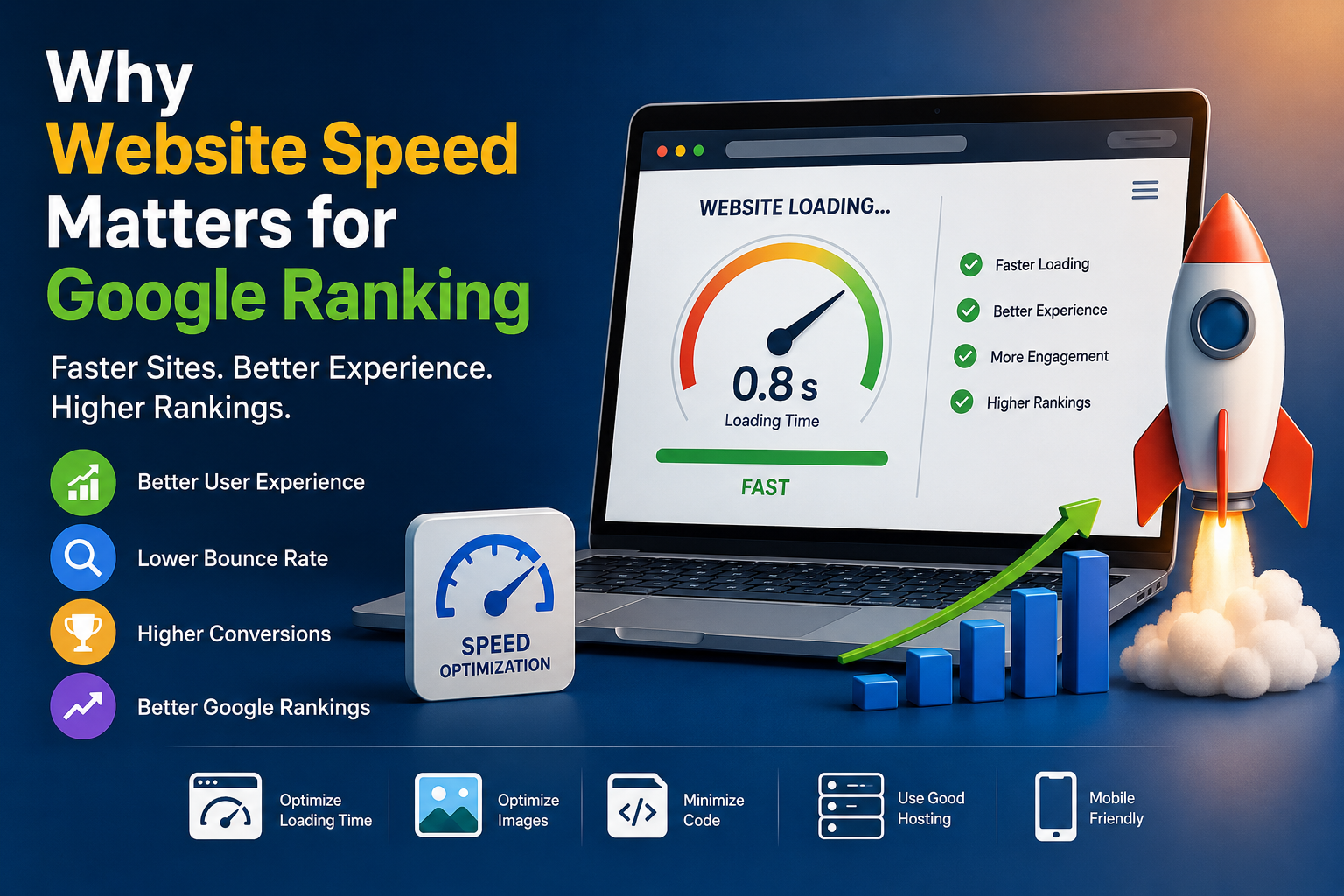
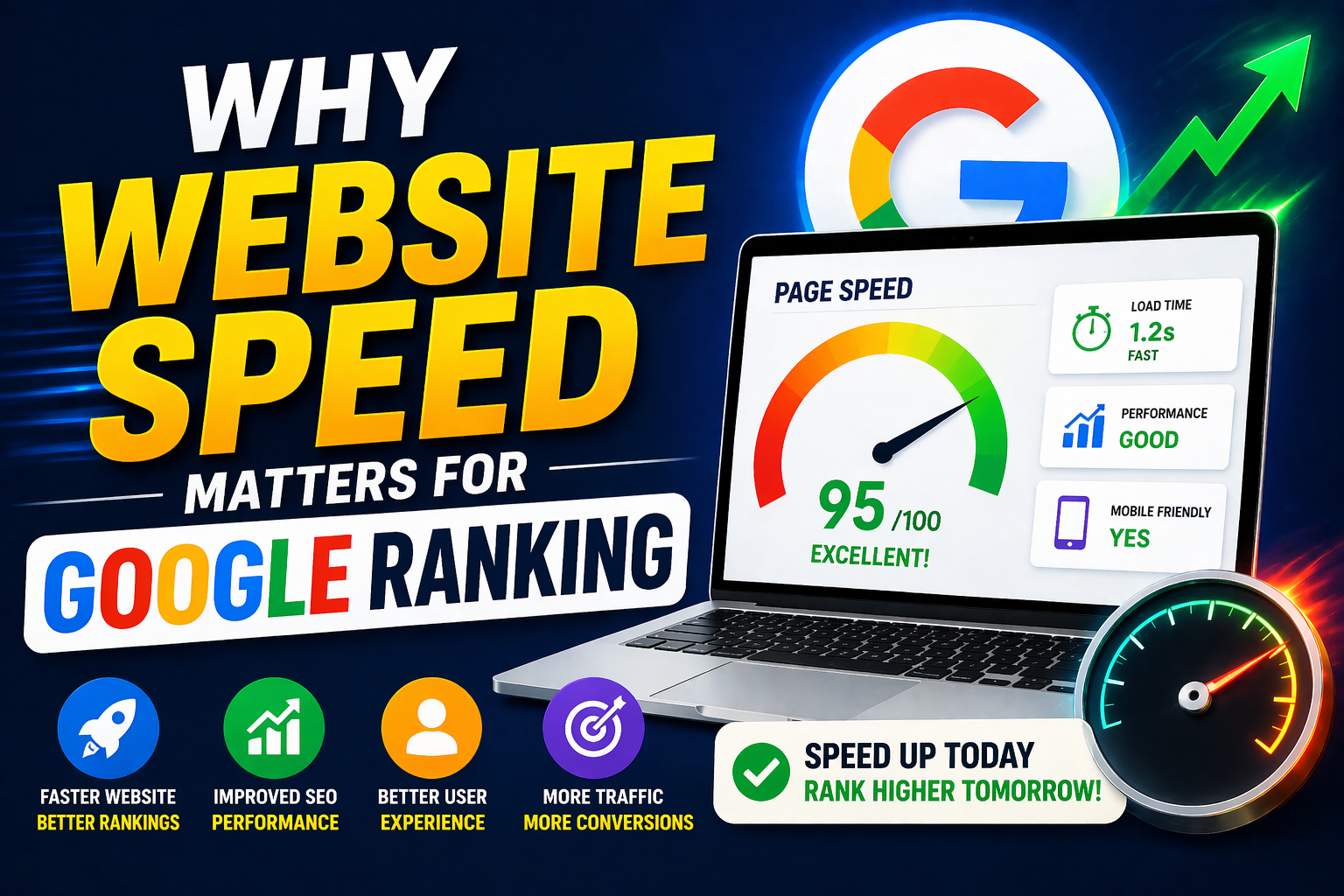
In today's digital world, users expect websites to load quickly and respond smoothly. A slow website can frustrate visitors, increase bounce rates, reduce conversions, and make it harder for users to find the information they need. But does website speed affect Google ranking? Yes, website performance matters for SEO and Google Search visibility. However, speed should not be treated as the only ranking factor. Google evaluates many signals when determining which pages provide the most useful experience for searchers. Google's page-experience guidance includes Core Web Vitals alongside other aspects of page experience. In 2026, website owners should pay particular attention to Largest Contentful Paint (LCP), Interaction to Next Paint (INP), and Cumulative Layout Shift (CLS) while also ensuring that their pages provide useful, reliable, people-first content. A fast website helps users access content quickly, interact with pages comfortably, and complete actions with less friction. That makes website speed an important part of a modern SEO strategy. Website speed refers to how quickly a web page loads and becomes usable after a visitor opens it. It includes more than simply seeing the first part of a page. A good-performing website should: Load important content quickly Respond quickly when users interact Avoid unexpected layout movement Work efficiently on mobile devices Deliver images and other resources efficiently Provide a smooth browsing experience These terms are often used interchangeably, but they are not exactly the same. Website speed generally refers to how quickly content loads. Website performance is broader and includes loading speed, responsiveness, stability, server performance, resource delivery, and overall user experience. A page might appear quickly but still respond slowly when someone clicks a button. Another page might load quickly but shift its content unexpectedly while images load. Therefore, effective SEO performance optimization should look at the complete experience rather than one speed number. Website speed matters because search engines aim to provide users with useful results that deliver a good experience. A technically slow website can create several problems. Visitors generally prefer websites that load and respond quickly. When important content appears quickly, users can find information without waiting. This is particularly important for: Business websites E-commerce websites Service websites News websites Blogs Local business websites Landing pages A better user experience can support engagement and conversions. Every unnecessary delay creates friction. For example, imagine a visitor searching for: "Best digital marketing agency near me" They click a search result, but the page takes several seconds to become usable. The visitor may return to Google and choose another result. A faster website gives visitors a better opportunity to engage with the content. Google's page-experience systems consider multiple aspects of how users experience a page. Core Web Vitals are particularly important because they measure real-world aspects of loading performance, responsiveness, and visual stability. The three current Core Web Vitals are: LCP — Largest Contentful Paint INP — Interaction to Next Paint CLS — Cumulative Layout Shift Google updated its documentation to clarify that INP is a Core Web Vital, replacing First Input Delay (FID). Understanding Core Web Vitals LCP measures how quickly the largest visible content element becomes rendered. This could be: A large image A hero banner A heading A video poster A large block of text If the primary content takes too long to appear, visitors may feel that the page is slow. To improve LCP: Optimize large images Use modern image formats Improve server response time Reduce render-blocking resources Preload important assets where appropriate Use a reliable hosting environment INP — Interaction to Next Paint INP measures how quickly a page responds to user interactions throughout the visitor's session. Examples include: Clicking a button Opening a navigation menu Selecting a product Submitting a form Using interactive filters A website can load quickly but still feel slow if interactions take too long to respond. To improve INP: Reduce unnecessary JavaScript Break up long-running tasks Remove unused scripts Optimize event handlers Reduce third-party scripts Improve frontend code efficiency CLS — Cumulative Layout Shift CLS measures unexpected movement of visible page elements. For example, a visitor might attempt to click a button, but an image loads above it and pushes the button downward. That creates a poor user experience. You can reduce layout shifts by: Setting image dimensions Reserving space for advertisements Defining dimensions for embedded content Avoiding dynamically injected content above existing content Loading fonts efficiently What Is a Good Website Speed? There is no single loading-time number that guarantees a Google ranking. Instead of focusing only on a generic "website speed score," website owners should evaluate real performance metrics and user experience. Important Performance Areas A website should aim for: A perfect PageSpeed score does not automatically mean a page will rank #1. Google Search considers many factors, including relevance, content quality, usefulness, links, technical accessibility, and other signals. Therefore, website speed should be treated as one important part of a complete SEO strategy, not a shortcut to rankings. Website performance can influence how visitors interact with your website. When pages are slow, users may: Leave before reading the content Abandon forms Abandon shopping carts Visit fewer pages Avoid returning to the website Choose competitors instead A fast website can create a smoother journey: Search → Click → Load → Read → Interact → Convert For a business website, that can mean more: Phone enquiries Form submissions Product purchases Appointment requests Newsletter sign-ups Website engagement Why Mobile Website Speed Is Especially Important Mobile users often browse websites while using cellular networks and a wide variety of devices. A website that performs well on a powerful desktop computer may perform poorly on a lower-powered smartphone. A modern SEO strategy should prioritize mobile performance. Your website should: Load efficiently on smartphones Use responsive design Keep navigation simple Optimize images Reduce unnecessary JavaScript Avoid intrusive elements Make buttons easy to use Keep important content accessible When optimizing your website, test it on real mobile devices and different network conditions instead of relying only on a high-speed desktop connection. Common Causes of a Slow Website Many websites become slow because of unnecessary resources or poor technical configuration. High-resolution images can consume significant bandwidth. Use properly sized images and modern formats such as WebP or AVIF where appropriate. 2. Too Much JavaScript Large JavaScript files can increase processing time and delay interactions. Remove unnecessary scripts and minimize the amount of JavaScript required for the page. 3. Too Many Plugins Websites built with content management systems can become slower when excessive plugins are installed. Review plugins regularly and remove unnecessary or poorly performing extensions 4. Poor Hosting Performance Your hosting environment affects server response time and overall performance. Choose hosting appropriate for your website's traffic, technology stack, geographic audience, and performance requirements. 5. Unoptimized CSS Large or unnecessary CSS files can increase page weight and rendering work. Remove unused CSS and optimize the delivery of critical styles. Analytics tools, advertising scripts, chat widgets, tracking tools, social plugins, and other third-party services can affect performance. Audit third-party scripts and keep only the services that provide genuine business value. Website speed optimization should be systematic rather than based on random changes. Start by measuring your current performance. Useful tools include: Google PageSpeed Insights Google Search Console Lighthouse Chrome DevTools Look for: LCP INP CLS Server response time Image opportunities JavaScript issues CSS issues Render-blocking resources Images are often among the largest resources on a page. Use: Proper image dimensions Responsive images Modern formats Compression Lazy loading for below-the-fold images Do not sacrifice useful visual content just to make a page smaller. Instead, optimize images intelligently while maintaining appropriate quality Caching allows browsers to reuse resources instead of downloading everything again. This can improve performance for returning visitors. Images CSS JavaScript Fonts Static files Step 4: Reduce Unnecessary JavaScript JavaScript can make websites interactive, but excessive JavaScript can also increase processing work. Remove: Unused scripts Unnecessary libraries Duplicate tracking scripts Unused plugins Features that do not provide meaningful value Review your stylesheets and remove unnecessary code. Consider: Minifying CSS Removing unused styles Reducing stylesheet size Loading critical styles efficiently Your website server needs to respond quickly before the browser can download many resources. Possible improvements include: Better hosting Server-side caching Database optimization Content delivery networks Efficient backend code Reducing unnecessary server requests Website Speed and SEO: What You Should Not Do Speed optimization should not damage the quality of your website. Google's systems are designed to understand useful content, so performance optimization should work together with content quality. A PageSpeed score is a diagnostic tool, not a ranking guarantee. Prioritize: Fast loading Smooth interactions Stable layouts Useful content Easy navigation Mobile usability Use this checklist when reviewing your website. Check Core Web Vitals Test mobile performance Test desktop performance Improve server response time Enable appropriate caching Optimize CSS Optimize JavaScripts Compress large images Use modern image formats Serve correctly sized images Lazy-load appropriate images Define image dimensions Keep navigation simple Prevent unexpected layout shifts Improve button responsiveness Reduce intrusive pop-ups Make content easy to read Test on real mobile devices Create useful, original content Use descriptive page titles Write useful meta descriptions Build logical internal links Use descriptive URLs Maintain a crawlable website Monitor Search Console performance How to Monitor Website Speed Website performance should not be checked only once. Websites change continuously. A new plugin, image, tracking script, theme update, or development change can affect performance. Check major landing pages and important business pages. Review Core Web Vitals and Search Console data. Run performance tests after: Website redesigns Theme changes Plugin installations Hosting migrations Major content updates New advertising integrations Website speed matters for Google SEO in 2026 because performance influences the experience visitors have when they interact with your website. However, successful SEO is not about making a website fast and expecting it to automatically reach position one. The strongest approach combines website speed optimization, Core Web Vitals, mobile performance, technical SEO, useful content, search intent, internal linking, and a strong overall user experience. Start by testing your website, identify the biggest performance issues, and improve them systematically. A faster website is not just better for search visibility—it can also make your website easier to use, more professional, and more effective at turning visitors into customers. Don't optimize your website only for Google. Optimize it for people first, then make it easy for search engines to understand and access. That combination creates a stronger foundation for sustainable SEO growth in 2026.What Is Website Speed?
Website Speed vs. Website Performance
Why the Difference Matters
Why Website Speed Matters for Google Ranking
1. Faster Websites Provide a Better User Experienc
Faster Access Means Less Friction
2. Website Speed Is Connected to Page Experience
Core Web Vitals in 2026
LCP — Largest Contentful Paint
Why LCP Matters
Why INP Matters
How to Improve CLS
Important SEO Reminder
How Website Speed Affects User Behavior
Slow Websites Can Increase Friction
Fast Websites Can Support Conversions
Mobile SEO and Website Performance
Mobile-First Performance Strategy
1. Large Images
Solution
Solution
Solution
Solution
Solution
6. Too Many Third-Party Scripts
Solution
How to Improve Website Speed for SEO
Step 1: Test Your Website
What to Check
Step 2: Optimize Images
Image SEO Best Practice
Step 3: Use Browser Caching
Caching Can Help With
Step 5: Optimize CSS
Step 6: Improve Server Response Time
Do Not Remove Useful Content Just to Make Pages Smaller
Do Not Chase a Perfect Score
Focus on Real Users
Website Speed Optimization Checklist
Technical SEO
Images
User Experience
SEO
Recommended Monitoring Process
Weekly
Monthly
After Website Changes
Final SEO Takeaway
Why Website Speed Matters for Google Ranking (2026 Guide)
Popular Blogs
-

-
Professional Web Hosting Services | Cloud India
01 Sep 2025 -

-

-

Best Premium Hosting for eCommerce
02 Sep 2025 -

Domain Purchase Online at Cloud India Hub
02 Sep 2025 -

Best Managed WordPress Hosting Plans
03 Sep 2025 -

-

Domain Name Services Made Simple & Affordable
03 Sep 2025 -

Buy Domain Name In India | Cloud India Hub
03 Sep 2025 -

-

Cheap cPanel Hosting With SSL | Cloud India
04 Sep 2025 -

-

-

-

Enterprise VPS hosting with cPanel
06 Sep 2025 -

Cheap Windows VPS Hosting Plans
08 Sep 2025 -

-

Domain Name Search | Check Domain Availability
08 Sep 2025 -

Check Domain Name Availability Instantly Online
09 Sep 2025 -

Affordable cPanel Hosting with Support
09 Sep 2025 -

-
Best Tool to Check Domain Availability
10 Sep 2025 -

Buy Domain Name Online at the Best Price in 2025
10 Sep 2025 -

How to Transfer Your Domain Easily in India
10 Sep 2025 -

-
-

-
Cheap Bulk Domain Search Tool
11 Sep 2025 -

-

-

Cheap Domain Price List Online
12 Sep 2025 -

Buy Domain Name And Get Email Domain For Free
12 Sep 2025 -

-

Get a Free Domain Name for Your Website in 2025
15 Sep 2025 -

Cheap Bulk Domain Search Tool | Cloud India
15 Sep 2025 -

-

Free Web Hosting & Get a Free Domain
15 Sep 2025 -

-

-

-

-

Domain Availability Checker | Cloud India Hub
17 Sep 2025 -

-

-

Domain Name Registration | Cloud India
17 Sep 2025 -

Fast and Secure WordPress Hosting | Cloud India
18 Sep 2025 -

-
-

Domain Name Checker | Cloud India Hub
22 Sep 2025 -

-

Whois Domain Checker Tool from Cloud India
22 Sep 2025 -

-

-

Cheap Web Hosting with Free Domain | Cloud India
23 Sep 2025 -
Check Domain Availability For Free | Cloud India
23 Sep 2025 -

Managed Windows VPS Hosting Services
24 Sep 2025 -

-

-

-

Best Website Hosting At Cloud India
25 Sep 2025 -

Multi Extension Domain Search | Cloud India
26 Sep 2025 -

Best Bulk Domain Search Service | Cloud India
26 Sep 2025 -

Secure Cpanel Hosting | Cloud India
26 Sep 2025 -

Make in India Domain Registration | Cloud India
26 Sep 2025 -

-

Best Domain Price List Provider | Cloud India
27 Sep 2025 -
-

-

Domain Transfer With Free Privacy | Cloud India
29 Sep 2025 -

-

ಡೊಮೇನ್ ಬುಕ್ಕಿಂಗ್ ಆನ್ಲೈನ್ ವ್ಯವಹಾರದ ಮೊದಲ ಹೆಜ್ಜೆ
30 Sep 2025 -

-
Domain Availability Search | Cloud India
30 Sep 2025 -

-

Buy Domain Online for Just ₹1 | Cloud India
03 Oct 2025 -

Buy Web Hosting | Cloud India
03 Oct 2025 -

Choose Domain Extension India | Cloud India
06 Oct 2025 -

Best Hosting Server in India | Cloud India
06 Oct 2025 -

Affordable Email Hosting India | Cloud Inida
07 Oct 2025 -

-

Free Domain Name and Hosting | Cloud India
07 Oct 2025 -

Reseller Hosting in India | Cloud India
08 Oct 2025 -

Best Hosting Provider | Cloud India
08 Oct 2025 -

Dedicated Server Hosting India | Cloud India
09 Oct 2025 -

-
Managed WordPress Hosting in India: Cloud India
10 Oct 2025 -

Web Hosting Solutions in India | Cloud India
10 Oct 2025 -

Buy domain and hosting | Cloud India
13 Oct 2025 -

E-commerce Hosting in India | Cloud India
14 Oct 2025 -

Domain Purchase Online | Cloud India
14 Oct 2025 -

-

-

-

-
-

WordPress Hosting | Cloud India
17 Oct 2025 -

-

Domain Transfer in 2025 | Cloud India
23 Oct 2025 -

Best Web Hosting For Wordpress | Cloud India
28 Oct 2025 -

-
Domain Registration Services | Cloud India Hub
29 Oct 2025 -

Hosting Made Simple With Cloud India
30 Oct 2025 -

-

-

-

-

-

-

-

-

-

-

-

-

Server Hosting Services | Cloud India
14 Nov 2025 -

Get Business Email Free | Cloud India
14 Nov 2025 -

-

-

-
-

Web Hosting and Domain Booking | Cloud India
25 Nov 2025 -

-

-

-

-

-

-

-

Buy the Cheap Domain for your Business Now
06 Jan 2026 -

-

-

-

-

Low-Cost Domain Registration| cloud India
16 Jan 2026 -

-

Get Cheap Domain online for beginners
19 Jan 2026 -

How Businesses Use Cheap Domains to Grow Online
28 Jan 2026 -

-

-

-

-

Buying a Cheap Domain in India? Read This First
11 Feb 2026 -

How to Buy a Cheap Domain Without Hidden Costs
14 Feb 2026 -

Smart Strategies for Cheap Domain Registration
16 Feb 2026 -

-

Why Most Domains Become Expensive Over Time
18 Feb 2026 -

-

The Truth About Cheap Domains in India
23 Feb 2026 -

Cheap Domain Hack: ₹49 India Deals 2026
27 Feb 2026 -

How Much Does a Domain Really Cost in India ?
02 Mar 2026 -

-

-

-

-

-
-

-
-

-

-

-

-
-
-

-

-

-

Domain Booking in India: The Complete 2026 Guide
28 Jul 2026 -

-

-

-

-

-

-

-

-

-

-

-

-

-
-

-

-

-

-
-

-
-

-
-

-

-

-

-
-

Managed vs Unmanaged VPS Hosting
28 Sep 2026 -
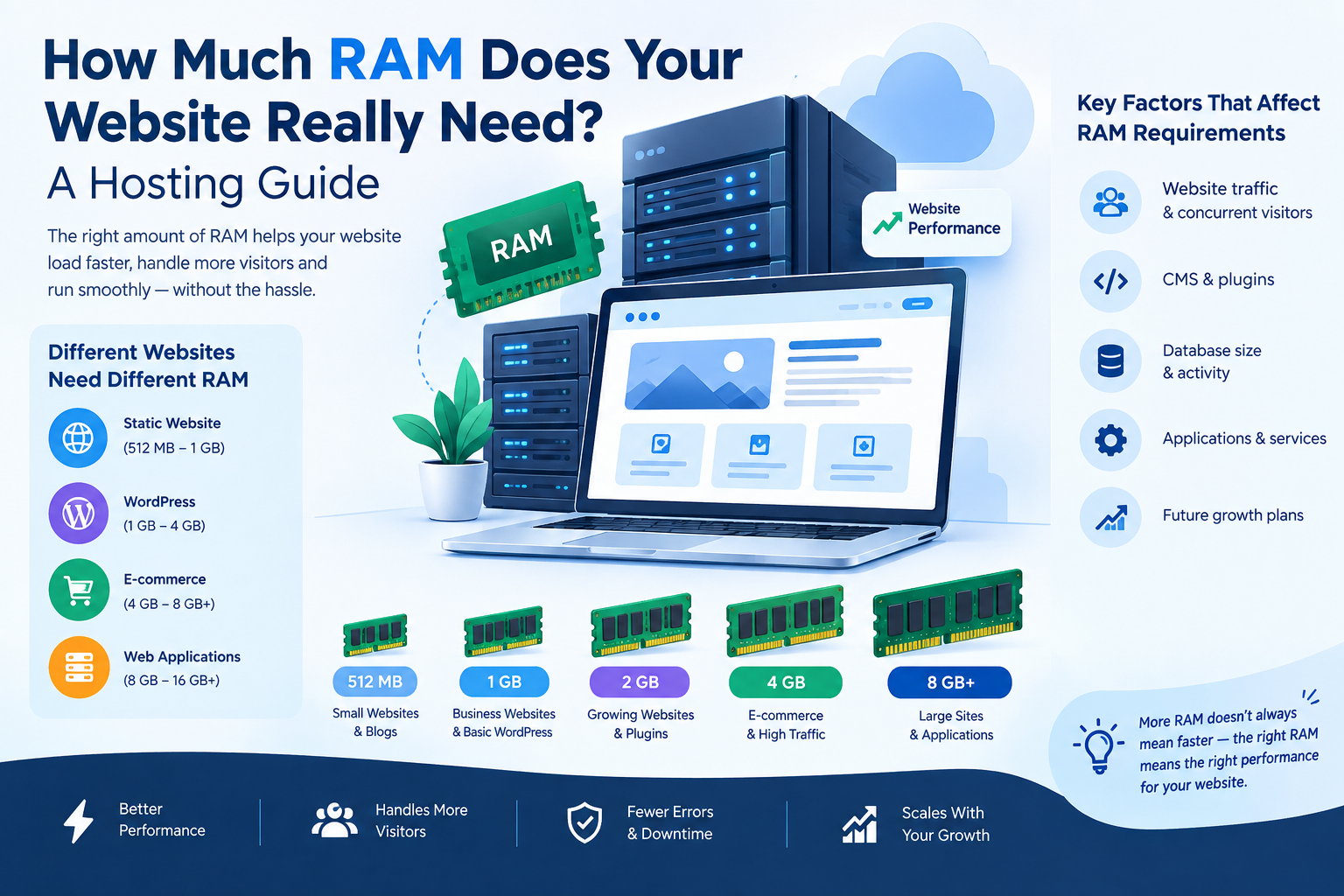
How Much RAM Does Your Website Really Need?
29 Sep 2026 -
-
-
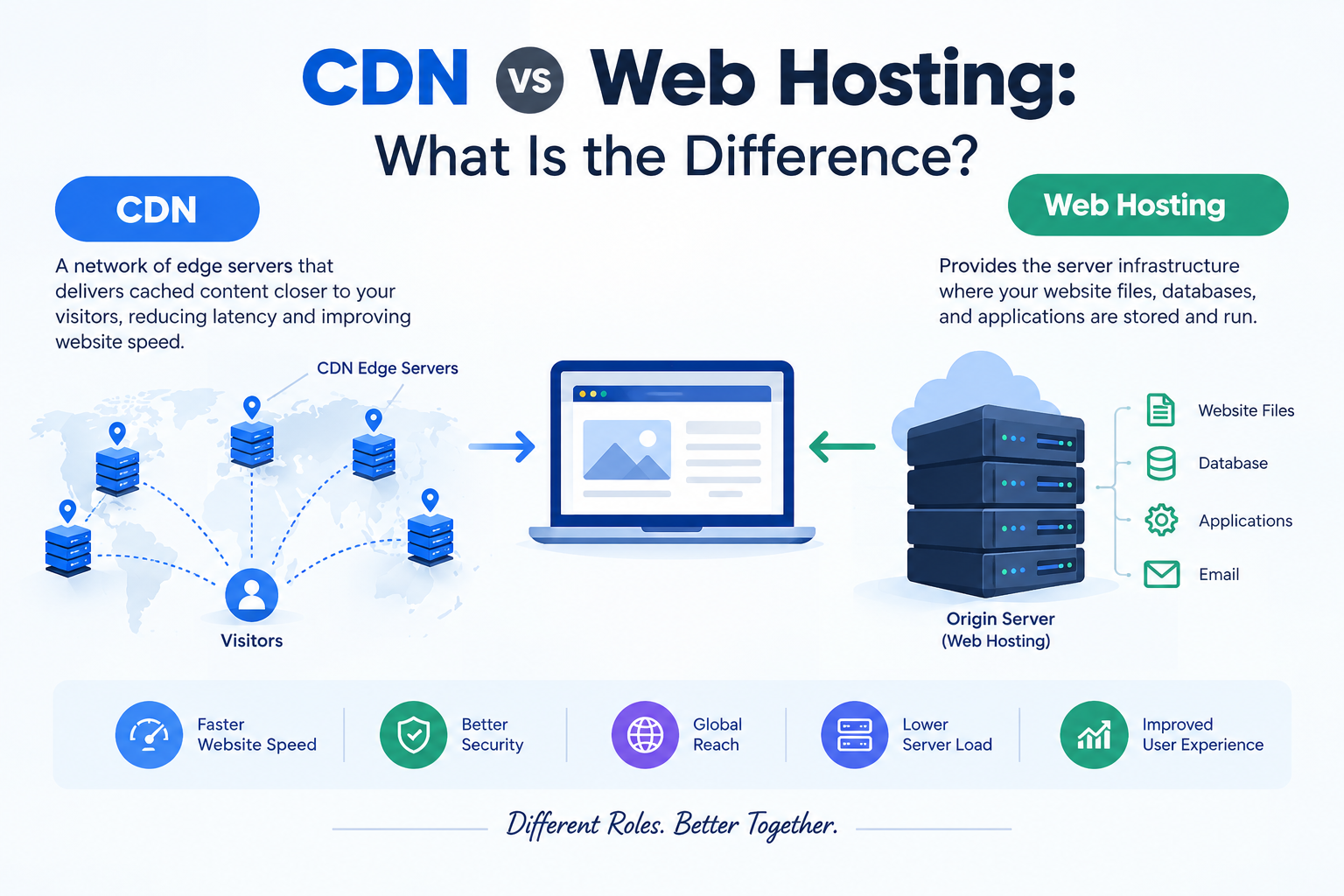
CDN vs Web Hosting: What Is the Difference?
07 Oct 2026


Leave A Comment